1. 新建github仓库

  • 注意:仓库名必须为用户名.github.io,这样后续就可以直接用https://用户名.github.io访问。
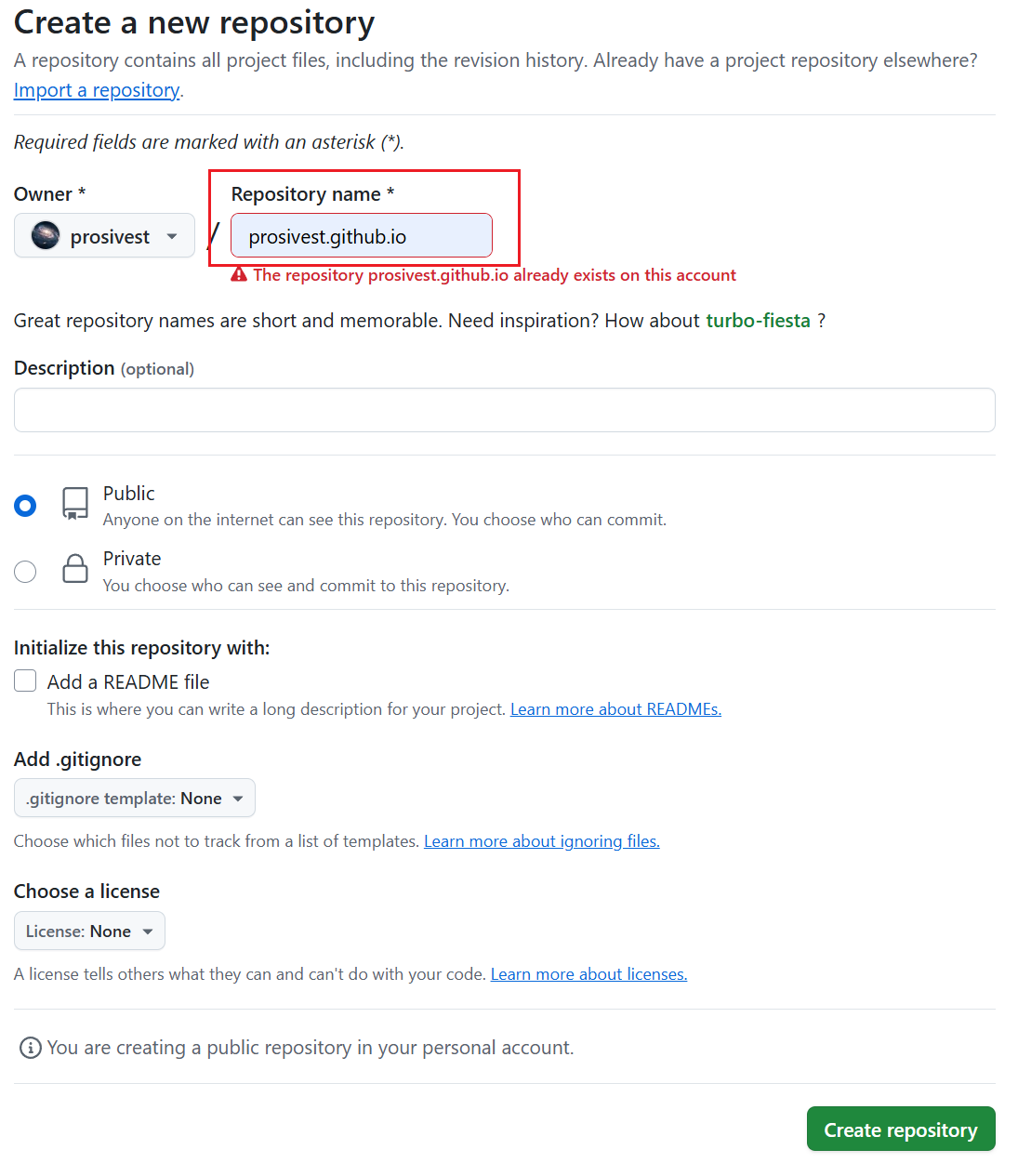
新建github仓库

2. 将本地文件推送至github仓库

把本地已经调试好的hugo项目文件,推送到github仓库。使用以下命令:

1
2
3
git remote add origin git@github.com:用户名/用户名.github.io.git
git branch -M main
git push -u origin main

3. 配置Github Actions自动部署

使用actions-gh-pages这个项目,利用 GitHub Action 部署静态网站到 GitHub Pages。

3.1 在仓库根目录下新建.github/workflows文件夹,然后新建gh-pages.yml文件,内容如下:

 1
 2
 3
 4
 5
 6
 7
 8
 9
10
11
12
13
14
15
16
17
18
19
20
21
22
23
24
25
26
27
28
29
30
31
32
33
34
35
36
37
38
name: GitHub Pages

on:
  push:
    branches:
      - main  # Set a branch name to trigger deployment
  pull_request:

jobs:
  deploy:
    runs-on: ubuntu-22.04
    permissions:
      contents: write
    concurrency:
      group: ${{ github.workflow }}-${{ github.ref }}
    steps:
      - uses: actions/checkout@v4
        with:
          submodules: true  # Fetch Hugo themes (true OR recursive)
          fetch-depth: 0    # Fetch all history for .GitInfo and .Lastmod

      - name: Setup Hugo
        uses: peaceiris/actions-hugo@v3
        with:
          hugo-version: '0.147.9'

      - name: Build
        run: hugo --minify

      - name: Deploy
        uses: peaceiris/actions-gh-pages@v4
        # If you're changing the branch from main,
        # also change the `main` in `refs/heads/main`
        # below accordingly.
        if: github.ref == 'refs/heads/main'
        with:
          github_token: ${{ secrets.GITHUB_TOKEN }}
          publish_dir: ./public
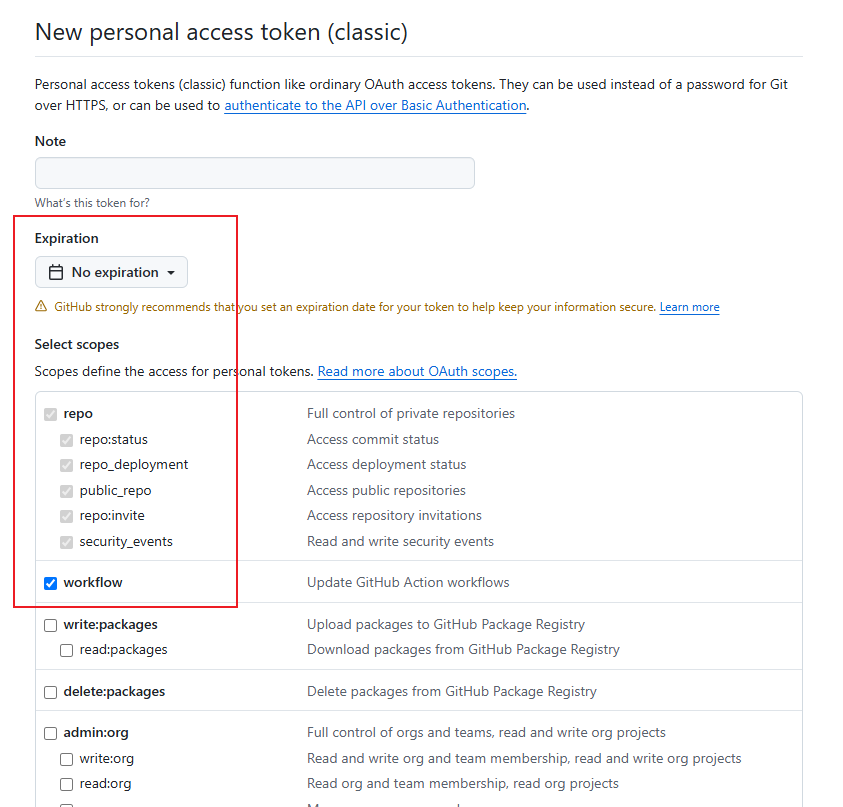
  • 注意:github_token是github自动生成的,不需要自己创建。你也可以使用personal_token: ${{ secrets.PERSONAL_TOKEN }},需要自己创建一个PERSONAL_TOKEN

1. 点击账号Settings->Developer settings->Personal access tokens->Generate new token,创建时注意期限选择永不过期,勾选repoworkflow权限。

创建token

2. 点击项目的Settings->Secrets and Variables->New repository secret,创建一个PERSONAL_TOKEN,把上面新创建的token值复制进去。
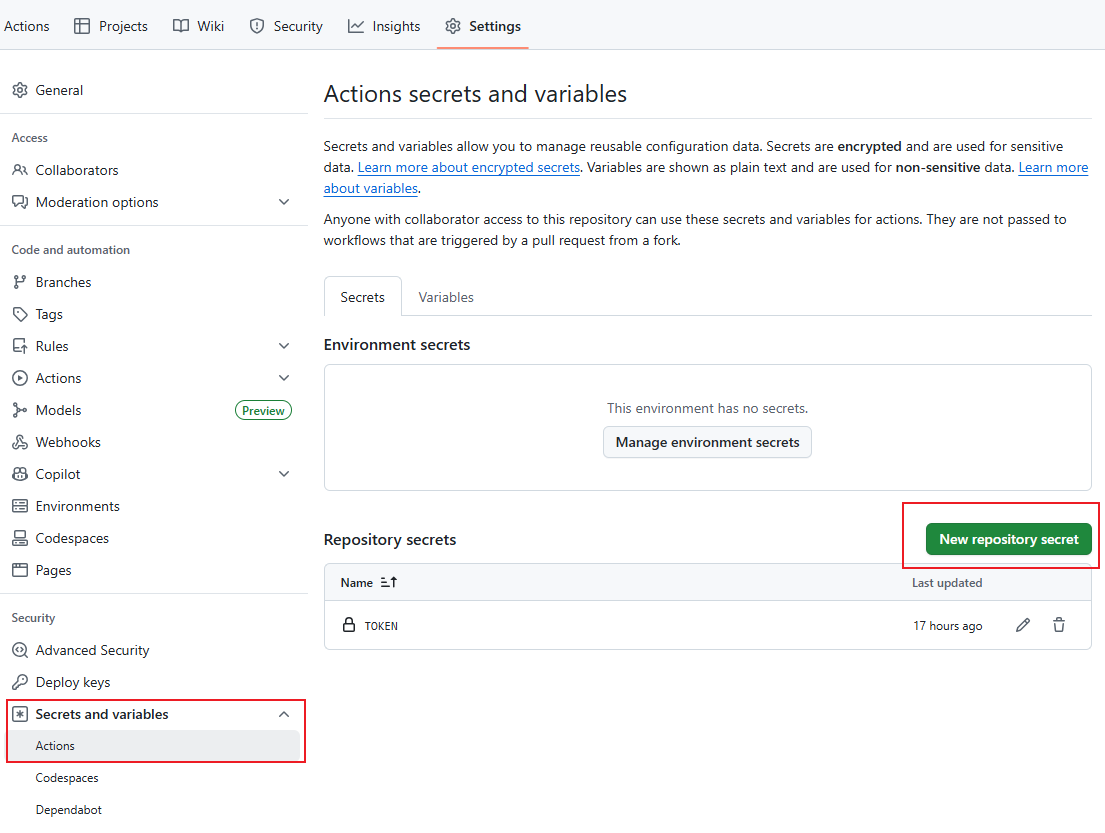
创建secrets.PERSONAL_TOKEN

3.2 配置github pages

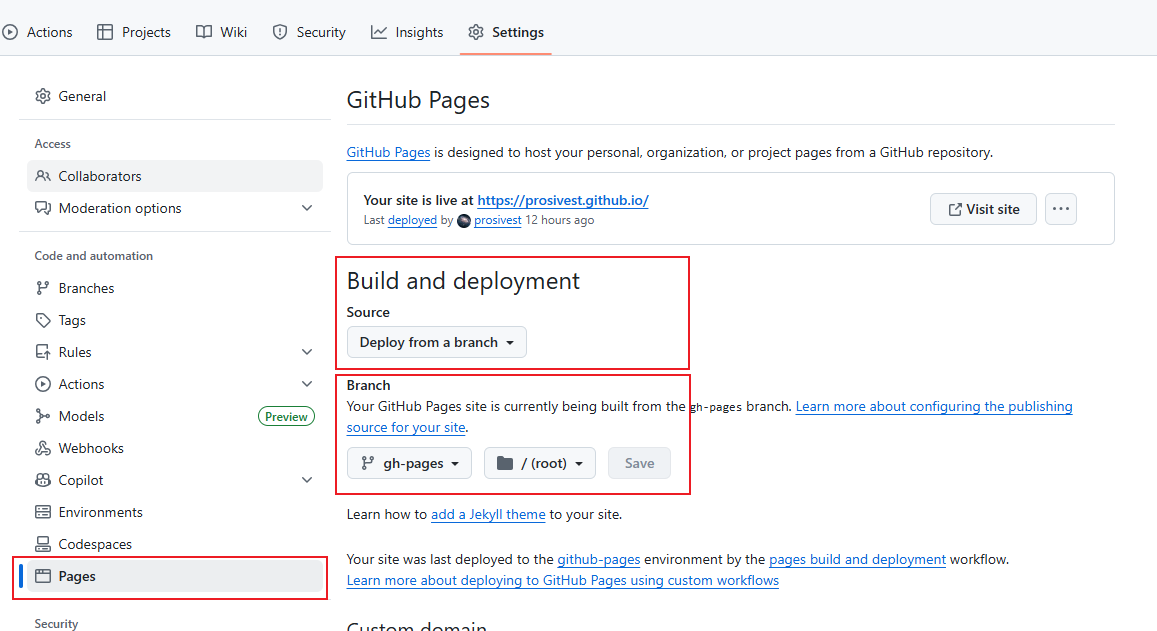
可以先修改一次文件,push到github,此时会自动出发github actions,首次可能是会失败,然后修改github pages的配置,在Build and deployment中选择Deploy from a branch,在下面的branch中选择gh-pages(这个是首次运行后自动创建的分支),自动保存后应该就成功了。 修改github pages配置
4. 访问

访问https://用户名.github.io,就可以看到部署的网站了。后续如有修改,只需要修改后push到github仓库即可自动更新。

5. 参考

https://github.com/peaceiris/actions-gh-pages